




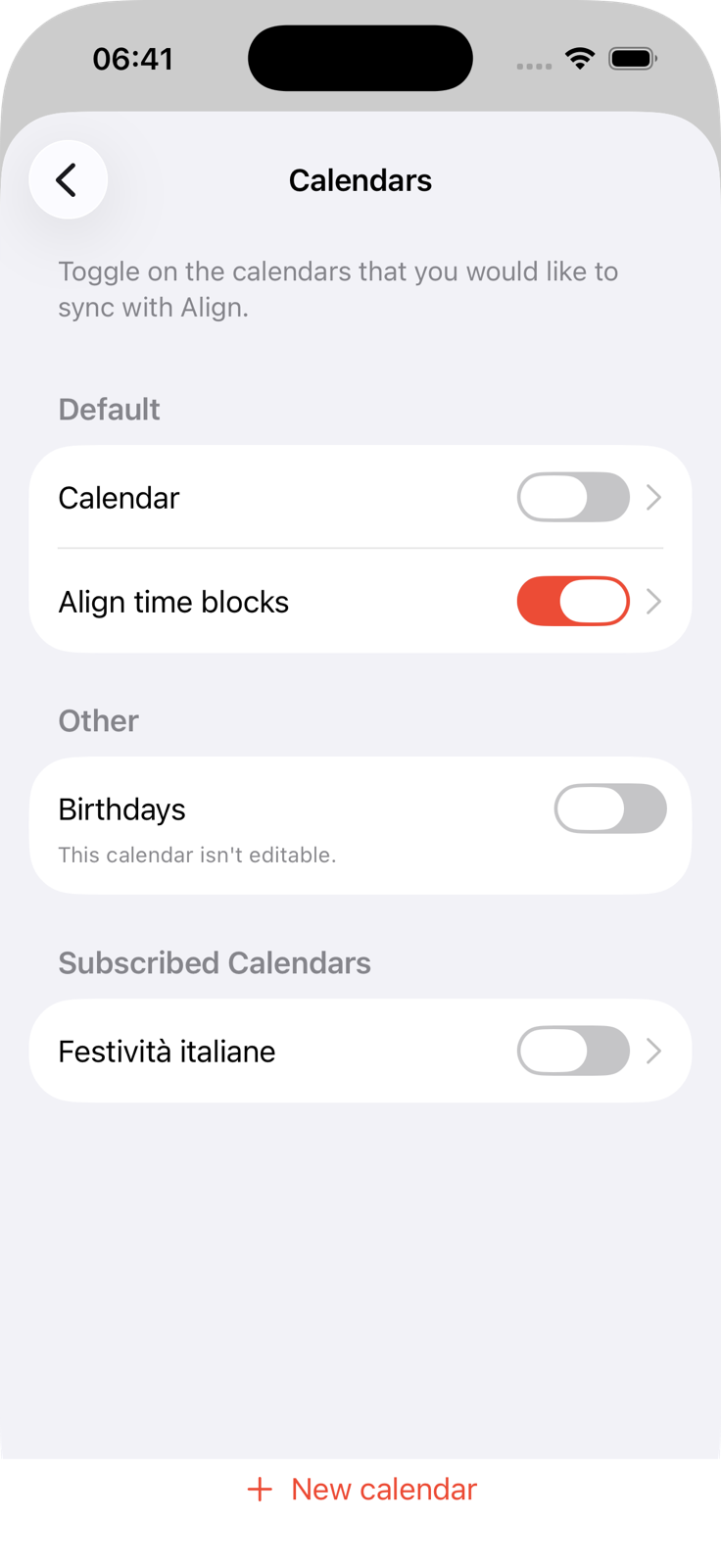
Bring your calendars into the plan
Choose the device calendars you want to see, then place focused work around the events already there.
Turn tasks and calendar events into a realistic visual schedule. When plans change, adjust the blocks and keep going.
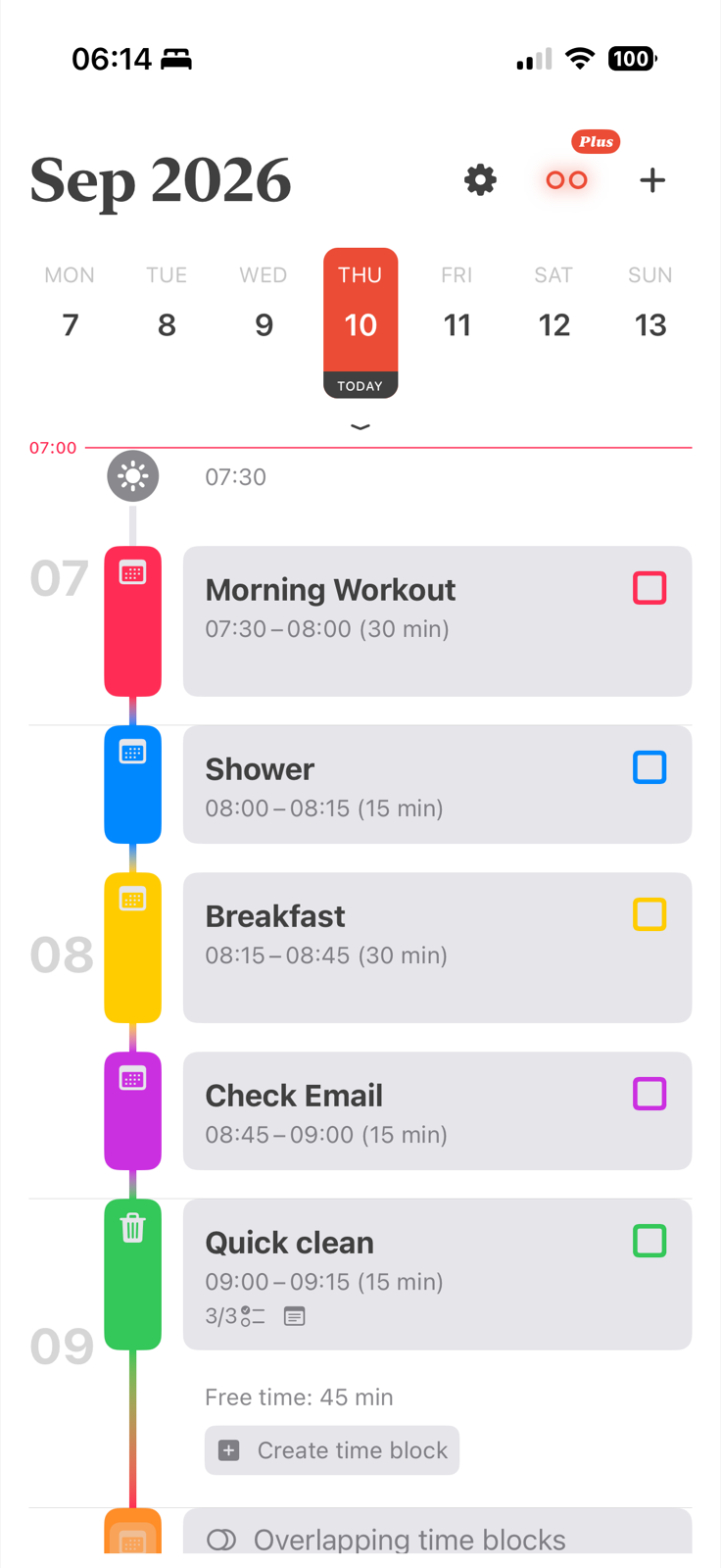
Ten tasks can look reasonable until you place them inside the hours you have.
One late meeting can turn a neat plan into a backlog you have to rebuild.
Your calendar knows your commitments. Your list knows your work. Neither shows the whole day.
Every change sends you back to the drawing board instead of into the next useful block.
Resize one block and keep the rest of the day workable.
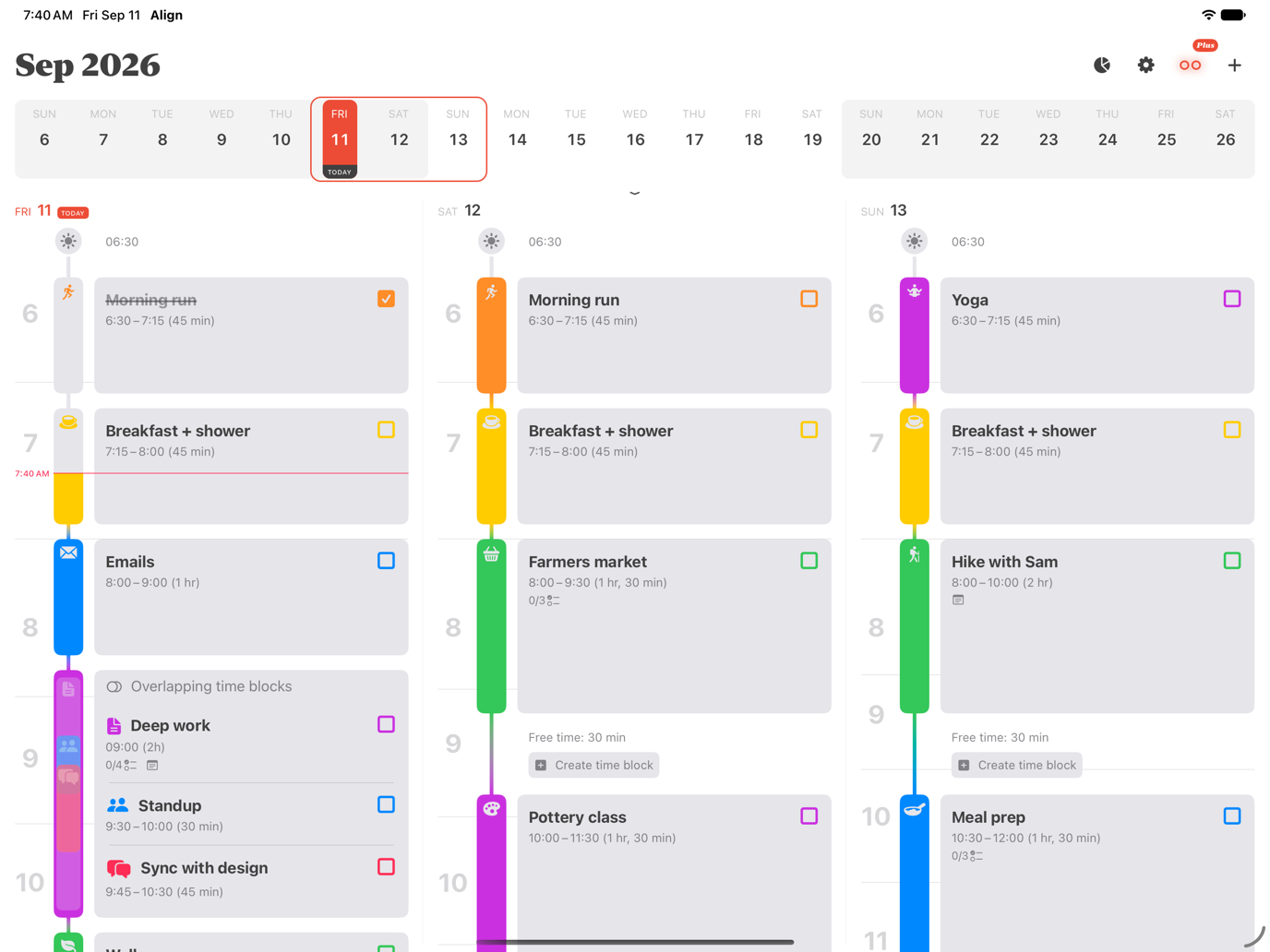
Align’s visual timeline keeps tasks, free time, and calendar events in one schedule. With Overlap Avoidance in Align Plus, later blocks can move out of the way while keeping their duration.
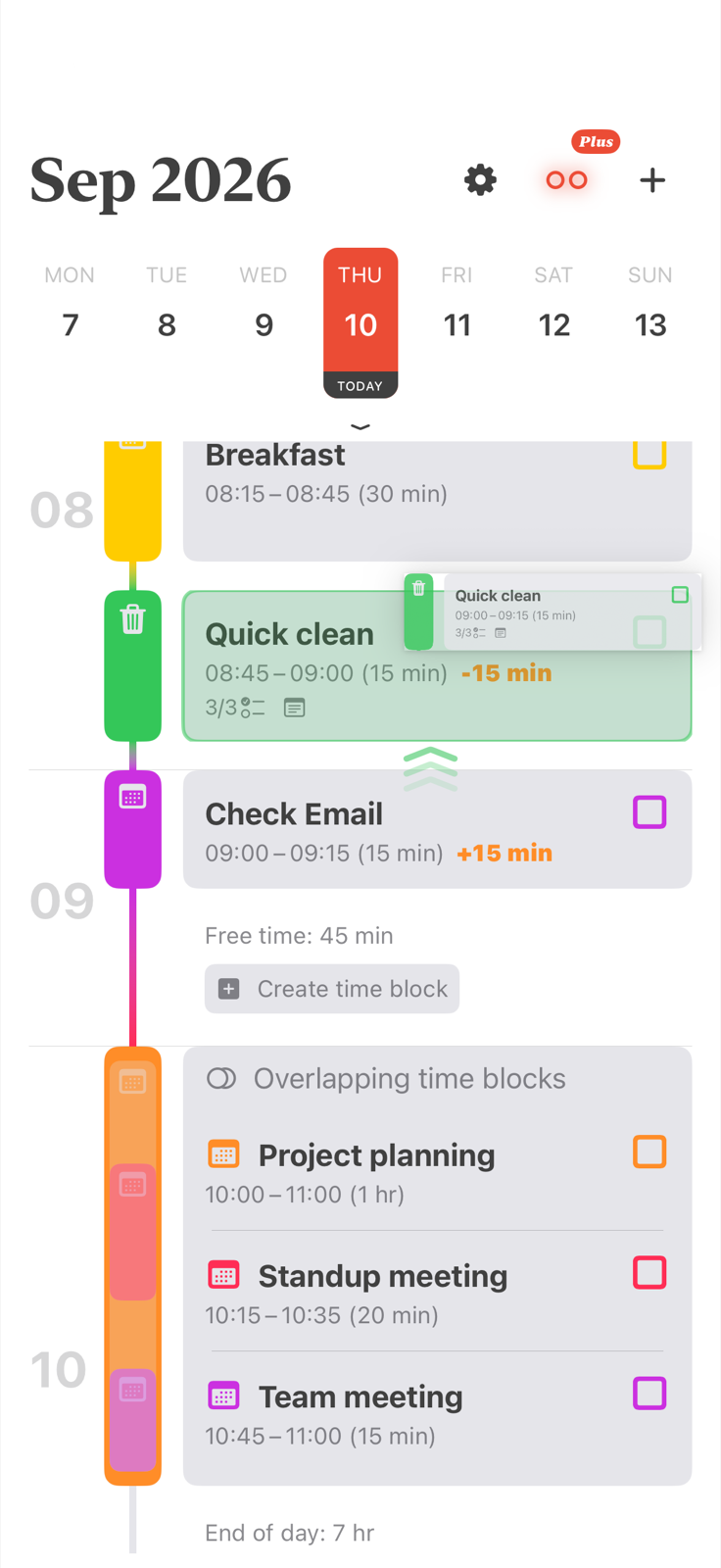

Free-time gaps and overlaps stay visible on the timeline.
Place focused work around meetings and the fixed parts of your day.
Move what slipped and continue from the schedule you already made.
Choose the device calendars you want to see, then place focused work around the events already there.
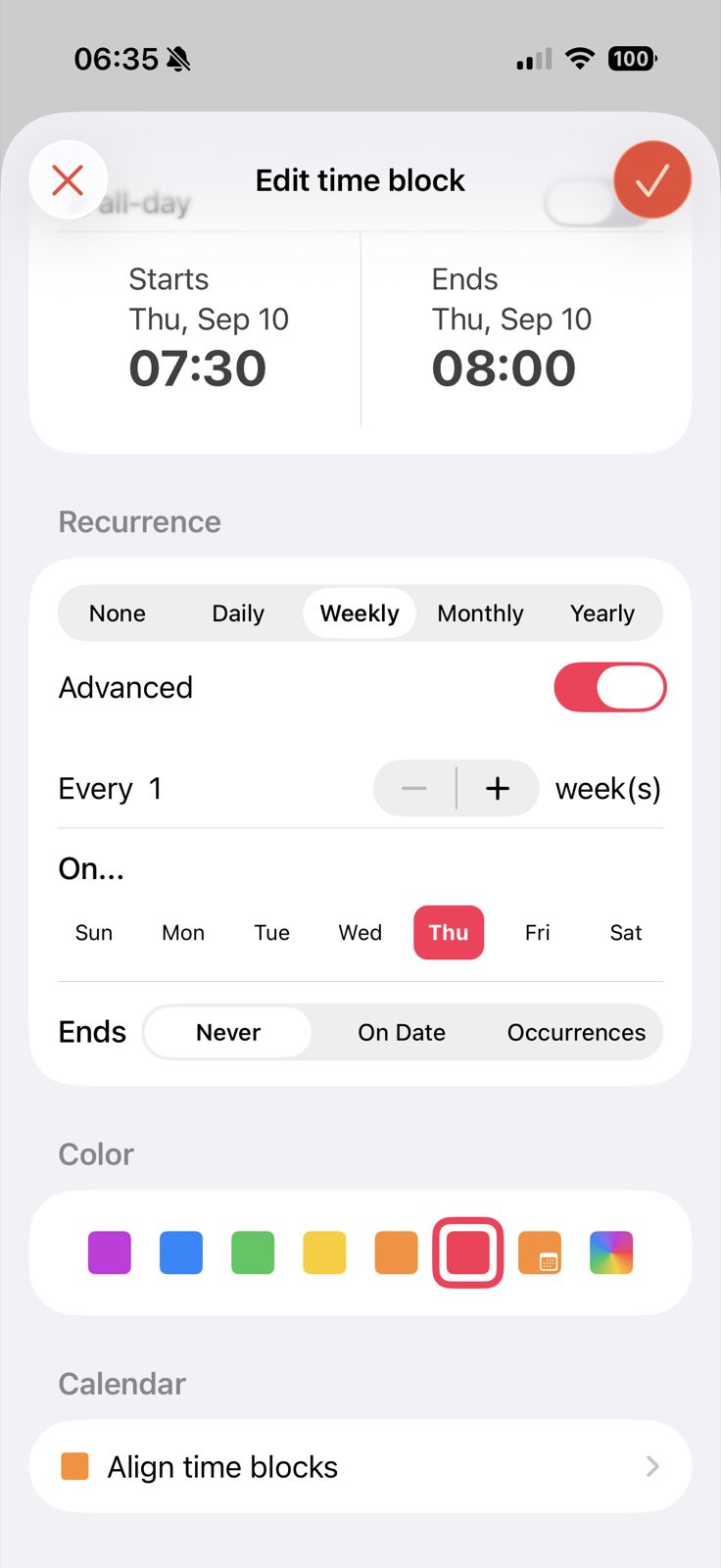
Repeat a time block daily, weekly, monthly, or yearly, then adjust a single day when real life needs something different.
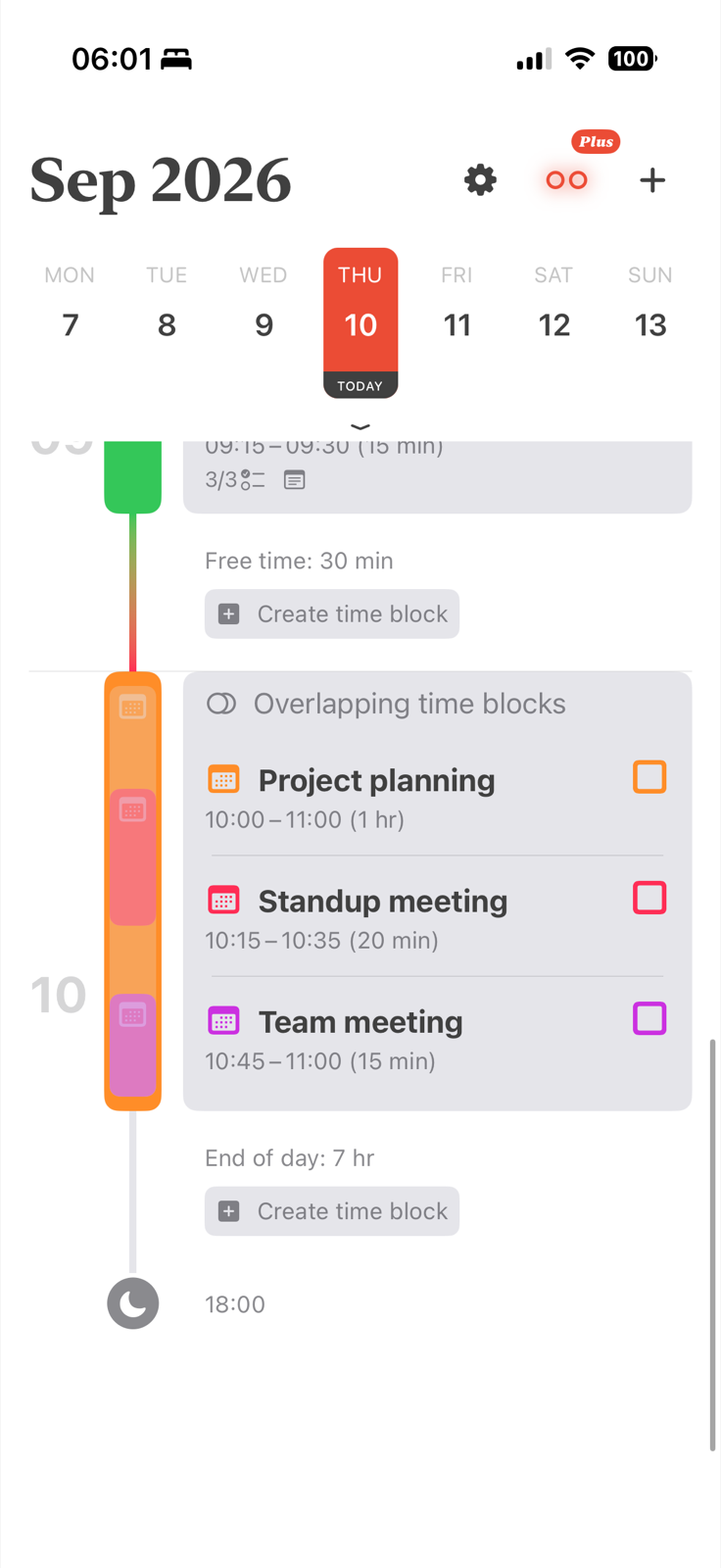
Overlapping blocks are grouped on the timeline. Align Plus can also move the surrounding blocks out of the way while you resize or drag.
“I’ve tried planners, to-do lists, and all types of productivity apps… Align is the first one that actually helps. I can actually see where my time goes, and I don’t lose entire hours anymore.”— Fatdragon379, App Store review
“App is amazing. It truly helps me segment my day the way I want to.”— GridEek, App Store review
“Really nice app for basic time blocking, also it doesn’t cost anything so that’s a big plus.”— Dynamic089, App Store review
A visual daily planner places tasks and calendar events on a timeline, so you can see what fits before the day begins. Align uses color-coded time blocks to show work, routines, meetings, free time, and overlaps in one schedule.
Align combines both ideas. It brings events from your iPhone calendars into the same visual schedule as your time blocks, so you can decide when tasks happen instead of keeping a separate list.
You can drag or resize a time block as plans change. With Overlap Avoidance in Align Plus, later blocks can shift out of the way while keeping their original duration, helping the rest of the day stay realistic.
People who prefer visual structure may find it easier to estimate time and switch tasks when the day is shown as concrete blocks. Align is a planning tool, not a medical treatment, and its main benefit is making time visible without adding a complicated workflow.
Align is free to download on iPhone. Core features include unlimited time blocks, a visual timeline, calendar sync, recurring blocks, reminders, colors, icons, and drag-and-drop planning. Optional Align Plus features are available as in-app purchases.
Start with a realistic visual schedule. Adjust it when the day moves.