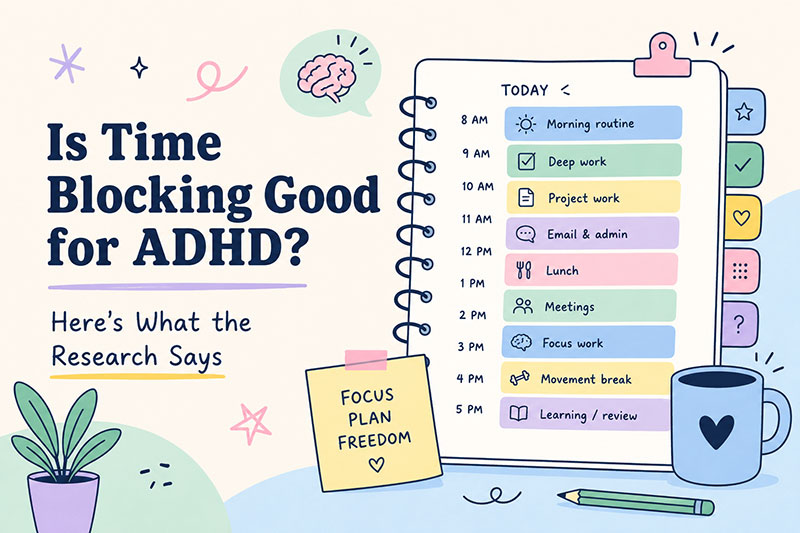
Is Time Blocking Good for ADHD? Here's What the Research Says

If you have ADHD, you've probably heard some version of this advice: "Just use a planner." But if it were that simple, you wouldn't have tried every app, journal, and system already. The real question isn't whether structure helps — it does. The question is what kind of structure works for an ADHD brain.
Time blocking is one of the most commonly recommended strategies for ADHD productivity. But is it actually effective, or is it just another thing that sounds good in theory and falls apart by Tuesday?
Here's what the research and real-world use cases say.
What ADHD Brains Actually Struggle With
Before evaluating whether time blocking works for ADHD, it helps to understand what it's actually fighting.
ADHD executive function challenges typically include:
- Time blindness — difficulty sensing how long things take, often underestimating or overestimating duration
- Task paralysis — knowing what to do but being unable to start, especially for open-ended or large tasks
- Working memory overload — holding too many things in mind at once, causing plans to fall apart mid-execution
- Interest-based nervous system — motivation spikes for novel or high-interest tasks, flatlines for everything else
Most productivity advice is built for neurotypical brains. It assumes you can look at a to-do list, estimate how long things take, and start on command. ADHD brains need something different — external structure that does some of that cognitive work for you.
That's where time blocking enters the picture.
What the Research Says About Time Blocking and ADHD
The research on ADHD and time management is surprisingly consistent on one point: external time awareness tools work.
Studies on ADHD and temporal processing show that people with ADHD benefit significantly from environmental cues and structured time representations. When time is abstract ("finish this sometime today"), it becomes impossible to manage. When time is visualized and concrete, executive function demands drop.
What is well established is the underlying difficulty rather than any single app's effect on it. Barkley's model of ADHD (1997) places impaired self-regulation of time near the centre of the condition, and difficulty judging and using time is one of the more consistent findings in the literature. We are not aware of a controlled trial showing that any particular time blocking app improves ADHD outcomes, and you should be sceptical of anyone who claims otherwise about theirs, including us.
The mechanism is straightforward: time blocking replaces abstract task reminders with a concrete visual schedule. Instead of "work on the project" floating in your head indefinitely, you have "9:00–11:00: Deep work on project." The block has a beginning, an end, and a visible container. That structure does some of the executive function work your brain can't do on its own.
Why Time Blocking Works Specifically for ADHD
Time blocking isn't just another planner strategy. Its specific design addresses several ADHD pain points directly:
Replaces Internal Time Estimation with External Structure
Time blindness means your brain genuinely can't feel how long a task takes. Time blocking solves this by assigning a fixed window from the outside. The schedule tells you how long you have; you don't have to figure it out in the moment.
Reduces Task Paralysis with a Clear Starting Point
"Start working" is an abstraction. "Start at 9:00" is a rule. ADHD brains respond better to constraints than open-ended prompts. A time block tells you when to start, which is often the harder part. Once you're in the block, momentum often follows.
Removes the Energy of Deciding What to Do Next
A to-do list forces a constant micro-decision: "what do I do now?" Time blocking removes that loop. The schedule tells you what's next. That decision energy is finite and precious for ADHD brains — saving it for the actual work matters.
Makes Progress Visible
ADHD brains are sensitive to progress signals. A list of unfinished tasks feels like failure. A timeline with completed blocks feels like momentum. Visual progress tracking isn't cosmetic for ADHD — it's a mechanism for staying motivated.
The Risks — Where Time Blocking Fails ADHD Brains
Time blocking can also backfire if it creates a rigid structure that breaks under normal ADHD conditions. Common failure modes:
Overly Detailed Schedules
Scheduling your day in 15-minute increments is a common mistake. It creates a schedule that looks impressive but collapses the first time something unexpected happens. For ADHD brains, buffer time isn't optional — it's structural. Leave 30-60 minutes of unscheduled time per half-day.
Using It as Punishment
If your time blocks become a scorecard for what you didn't finish, they will create shame rather than structure. ADHD brains are already prone to rejection-sensitive dysphoria. A broken schedule can feel like personal failure even when it's just... life.
Ignoring Energy Levels
ADHD brains have variable energy that doesn't always match the clock. Rigid time blocking that ignores energy fluctuations can backfire — trying to do deep work in a low-energy window often produces frustration rather than output. Build in energy-aware flexibility: when focus is low, schedule low-friction blocks instead of abandoning the structure entirely.
What Works: Building a Time Block System for ADHD
If you're going to use time blocking with ADHD, the specifics matter more than the general concept.
Start visual. A text list of time blocks is harder to process than a visual timeline. An app like Align shows your day as color-coded blocks — seeing the full day at once helps with the overview effect that ADHD brains often miss.
Use chunked time. 90-minute blocks instead of 30-minute blocks. Longer windows reduce the cognitive overhead of switching and give you room to get into flow before the block ends.
Buffer everything. Build 30 minutes of buffer between blocks. Unexpected things happen. Interruptions happen. If your schedule has no give, it breaks.
Make the next block obvious. When one block ends, you should know immediately what the next block is. No decision, no gap — just transition.
Recurring blocks for non-negotiables. Habits and routines are easier to maintain than one-off decisions. If you block "morning routine" at 7:30 every weekday, it stops being a daily willpower test.
A worked example: the day that slips
Here is a Tuesday, planned the night before, with 90-minute blocks and buffer:
| Time | Block |
|---|---|
| 08:00–08:30 | Morning routine (recurring) |
| 08:30–10:00 | Deep work: client proposal |
| 10:00–10:30 | Buffer |
| 10:30–12:00 | Deep work: proposal, continued |
| 12:00–13:00 | Lunch |
| 13:00–14:30 | Admin and email |
| 14:30–15:00 | Buffer |
| 15:00–16:30 | Team sync + follow-ups |
Now the realistic part. The proposal takes until 11:15, not 12:00. A rigid plan is now wrong for the rest of the day, and this is exactly the moment most people abandon the system altogether.
What you actually do is one decision, not six: the 10:30 block ends late, so drag the admin block to start at 11:30, and let the 30-minute buffer at 14:30 absorb the rest. Lunch moves. Team sync does not, because it involves other people — that is the one to lock so it cannot be dragged by accident.
The point is not that the plan survived. It did not. The point is that repairing it took one drag and a lock, instead of rewriting the day or giving up on it. If you have failed at time blocking before, this is usually where it failed — not at the planning, at the repair.
Time Blocking Apps for ADHD — What to Look For
If you're going to use a time blocking app with ADHD, specific features matter:
- Visual timeline — seeing blocks, not just a list
- Overlap detection — apps that catch double-booking reduce stress
- Drag and drop — easy to adjust when plans change (and they will)
- Recurring blocks — build routine without rebuilding every day
- Push notifications — external reminders compensate for working memory gaps
- iCloud sync — access across devices without another account to manage
Align is built for this: a visual iPhone timeline with overlap detection, recurring blocks, and drag-and-drop when something shifts. Calendar sync and recurring blocks are in the free tier; block locking and automatic overlap resolution are part of Align Plus. If you would rather test the idea on paper first, the free time blocking templates cost nothing and prove the concept before you install anything.
Download Align from the App Store
Common Questions About ADHD and Time Blocking
Does time blocking work for inattentive ADHD?
Yes. Inattentive-type ADHD often involves stronger time blindness and working memory challenges. Time blocking addresses both by externalizing time awareness. Visual timeline apps tend to work better than text-based planners for inattentive presentation.
Should I block every hour of my day?
No. Start with 3-5 key blocks per day and scale up only when that feels stable. Over-scheduling is one of the most common time blocking mistakes, especially for ADHD brains.
What if I can't finish a block?
Move it. If a task runs over, adjust the next block or move the unfinished portion. Time blocking is a planning tool, not a contract. The goal is structure that supports productivity, not structure that generates guilt.
Is medication compatible with time blocking?
They address different things, and people commonly use both. Time blocking is a structural tool: it puts the plan outside your head. It is not a substitute for clinical treatment, and nothing here is medical advice - decisions about medication belong with you and your clinician.
How do I start if I've failed at time blocking before?
Start smaller than you think. Three blocks a day. Morning. After lunch. Before end of day. That's it. Build the habit of looking at your schedule before adding more complexity. If three blocks work consistently for two weeks, add a fourth.
The Bottom Line
Time blocking works for ADHD — but only if it's built for ADHD. Abstract planners that require you to estimate, prioritize, and decide in real-time fail ADHD brains by demanding executive function that's already strained.
Time blocking works when it:
- Externalizes time awareness (no estimation required in the moment)
- Provides visual structure (not just text)
- Includes buffer time (because life happens)
- Is easy to adjust (drag and drop, not rewrite the whole day)
Align is one option built for this. There are others. The key is trying one that addresses your specific failure mode from past attempts — usually either the visual problem or the rigidity problem.
If you've tried time blocking and failed, the question isn't whether it works for ADHD. The question is which version of time blocking you tried, and whether a different approach might work better.
Download Align for iOS — visual time blocking with overlap detection and recurring blocks.