
Free 2027 Weekly Planner (Printable PDF)
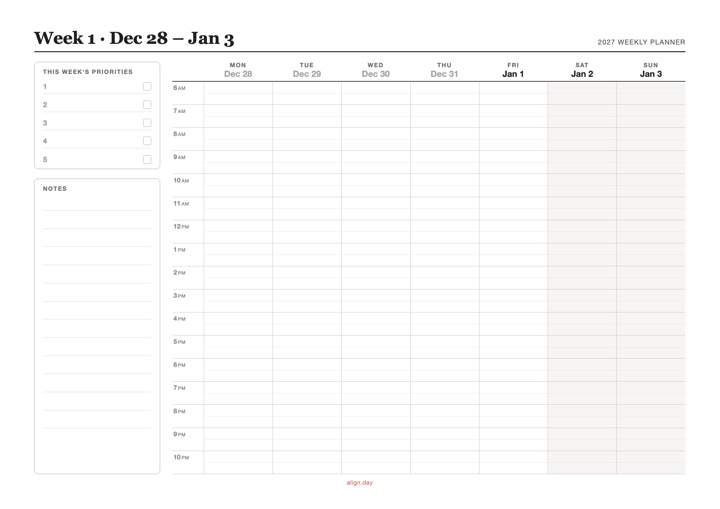
A dated 2027 weekly planner: a year-at-a-glance page plus one page for every week of 2027, with a Monday-to-Sunday time-block grid from 6 AM to 10 PM. Free download, no signup.
PDF 54 pages · A4 landscape, prints on Letter
Download 2027 Weekly Planner PDF →What's included
- A 2027 year at a glance on page 1, with the planner's week number beside every week
- 53 dated weeks, from Monday, Dec 28, 2026 to Sunday, Jan 2, 2028, so January 1 and December 31 each sit in a full week
- Each week titled with its week number and dates, such as "Week 1 · Dec 28 – Jan 3"
- Monday-to-Sunday columns with one row per hour from 6 AM to 10 PM and a light half-hour guide
- A This week's priorities box with five lines and a notes area
- One A4 landscape page per week that prints on US Letter, in light, ink-friendly gray
Weeks are numbered 1 to 53 in order. They don't follow ISO week numbers, under which January 1, 2027 belongs to week 53 of 2026.
How to use a 2027 weekly planner for time blocking
A weekly time blocking planner turns a to-do list into a plan: every task gets its own block of hours on a specific day before the week begins.
- Write this week's priorities. Pick up to five things that would make the week a success.
- Block fixed commitments first. Meetings, classes, commutes, meals and appointments go into their hours.
- Give each priority a block. Put deep work in the mornings if that is when you focus best, and spread big tasks across several days.
- Leave some hours open. A week planned to the hour breaks at the first surprise; open blocks absorb what runs over.
- Review on Sunday. Tick off what you finished and carry anything that slipped to next week's page.
Example: a normal week blocked out (Week 2 · Jan 4 – Jan 10)
This week's priorities: finish the Q1 budget draft · ship the client proposal · three 30-minute runs · book the dentist · plan a weekend with friends
| Time | Mon–Fri | Sat | Sun |
|---|---|---|---|
| 6 AM | Wake up, coffee, no phone | Sleep in | Sleep in |
| 7 AM | Run (Mon, Wed, Fri) · stretch (Tue, Thu) | Long breakfast | Slow morning |
| 8 AM | Breakfast, commute | Groceries | Brunch with friends |
| 9–11 AM | Deep work: budget draft (Mon, Wed) · client proposal (Tue, Thu) · open block (Fri) | Errands | Open |
| 11 AM | Team meeting (Mon) · email and messages (Tue–Fri) | Open | Open |
| 12 PM | Lunch away from the desk | Lunch out | Lunch |
| 1–3 PM | Meetings and calls · book the dentist (Mon) | Hike with friends | Family time |
| 3 PM | Open hour for whatever ran over | ||
| 4 PM | Admin, plan tomorrow · weekly review (Fri) | Plan Week 3 | |
| 5 PM | Commute, gym bag, groceries | ||
| 6–8 PM | Cook, dinner, family time | Dinner out | Cook for the week |
| 9 PM | Reading | Reading | |
| 10 PM | Wind down | Wind down |
The two deep-work priorities each get two mornings, so neither depends on a single good day, and Friday's open morning catches whatever didn't finish. The 3 PM hour stays open all week for meetings that run long.
If your week changes after you print it, Align keeps your time blocks on a visual timeline on your iPhone next to your calendar events, so moving a block doesn't mean rewriting the page.

