
Free April 2027 Calendar (Printable PDF)
A printable April 2027 calendar with large day boxes to write in, and March 2027 and May 2027 beside the heading. Weeks start on Sunday or Monday: both are in the PDF. Free download, no signup.
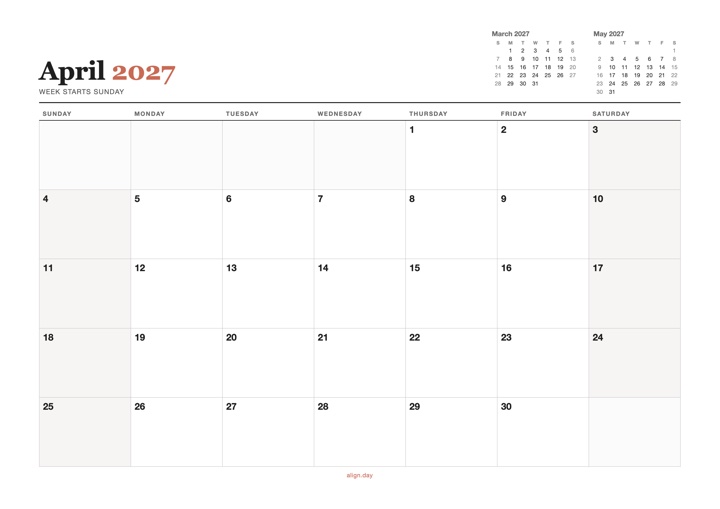
PDF 2 pages · A4 landscape, prints on Letter
Download April 2027 Calendar PDF →April 2027 at a glance
- April 2027 starts on Thursday, April 1, 2027 and ends on Friday, April 30, 2027.
- It has 30 days: 22 weekdays (Monday to Friday) and 8 weekend days.
- US federal holidays: no federal holidays this month.
- Previous month: March 2027 · Next month: May 2027
See every month at once on the 2027 calendar, with all its federal holidays.
What's included
- Two pages: April 2027 with weeks starting on Sunday (page 1) and on Monday (page 2)
- A large box for every day, with room for appointments, deadlines and plans
- No federal holidays in April 2027, so every day box is free to write in
- Mini calendars of March 2027 and May 2027 beside the month heading
- One A4 landscape page per version that prints on US Letter, in light, ink-friendly gray
This calendar is dated: every day of April 2027 is already in its weekday. For an undated grid you can reuse any month, use the Monthly Time Blocking Calendar.
How to turn a month view into a plan
A month calendar shows what is fixed. A plan decides when everything else gets done. Use the month page for dates, and a weekly page for hours.
- Mark fixed dates first. Birthdays, trips, appointments and school days off.
- Write deadlines on the day they are due, then note a start date a few days before each one.
- Block the week. Each Sunday, copy the week's fixed dates into a weekly planner and give your priorities their hours: the undated Weekly Time Blocking Template fits any week, and the 2027 Weekly Planner is dated from the week of December 28, 2026.
- Review at the end of the month. Cross off what happened and carry what didn't into next month's page.
Example: April 2027 with fixed dates marked
| Day box | What you write |
|---|---|
| Mon, Apr 5 | Team planning, 9 AM · write the month's three goals |
| Thu, Apr 15 | Credit card due · dentist, 4 PM |
| Fri, Apr 30 | Month review: what moves to May 2027 |
The fixed dates go on the month page; the hours for the goals go on the weekly page. Written this way, the month shows at a glance which weeks are already full before you plan them.
If your plans move after you print, Align shows your calendar events next to your time blocks on a visual timeline on your iPhone.

