
Free Daily Planner Template (Printable PDF)
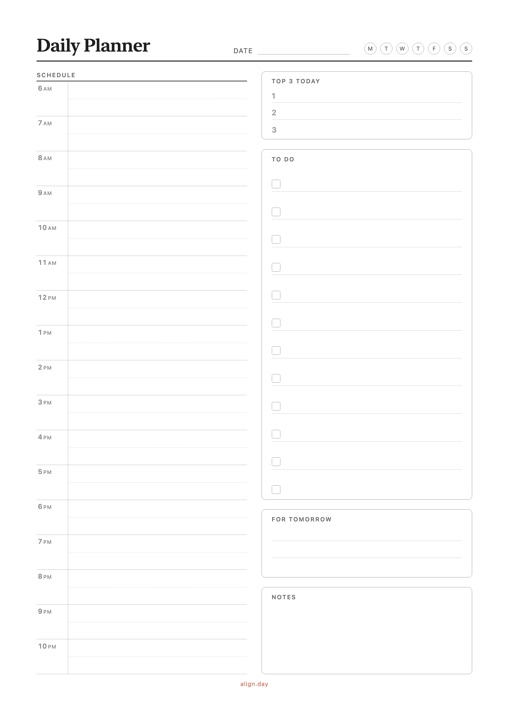
An undated daily planner on one page: your schedule from 6 AM to 10 PM on the left, and your Top 3, to-do list and notes on the right. Free download, no signup.
PDF 1 page · A4, prints on Letter
Download Daily Planner PDF →What's included
- A schedule with one row per hour from 6 AM to 10 PM and a light half-hour guide
- A Top 3 box for the day's priorities
- A to-do list with 12 checkboxes for everything else
- A For tomorrow box for what carries over, and a notes area
- An undated header: write the date and circle the weekday
- One A4 page that prints on US Letter, in light, ink-friendly gray
Want the whole page to be an hour grid? The hourly planner runs from 6 AM to 11 PM with a Done box on every hour.
How to use a daily planner
A daily planner template keeps the two halves of a day on one sheet: what you need to do, and when you will do it. A list alone tends to grow; a schedule alone forgets the small tasks. Put them side by side and you can see whether the day fits.
- Date the page. Write the date and circle the weekday. The planner is undated, so a skipped day costs nothing.
- Pick your Top 3. The three things that would make today a success.
- Empty your head into the to-do list. Everything else, small tasks included, one per checkbox.
- Schedule the important things. Fixed commitments go into their hours first. Then give each Top 3 item an hour of its own, and batch small to-dos into one slot.
- Close the day. Tick off what you finished, write what slipped in For tomorrow, and start tomorrow's page from that box.
Example: a Tuesday on the daily planner
Top 3: 1. send the client proposal · 2. book flights for March · 3. 30-minute walk
To do: ☑ reply to Sam about Friday · ☑ pay the electricity bill · ☑ order printer ink · ☐ return the library books · ☑ call the bank · ☐ sign up for the 10K
Schedule:
| Time | Plan |
|---|---|
| 6 AM | Wake up, coffee |
| 7 AM | Breakfast, school run |
| 8 AM | Email, reply to Sam |
| 9 AM | Client proposal: draft |
| 10 AM | Client proposal: numbers and send |
| 11 AM | Weekly team meeting |
| 12 PM | Lunch, 30-minute walk |
| 1 PM | Small to-dos: bill, ink, bank |
| 2 PM | Design review |
| 3 PM | Book flights for March |
| 4 PM | Open for whatever ran over |
| 5 PM | Plan tomorrow, wrap up |
| 6 PM | Cook dinner |
| 7 PM | Family time |
| 8 PM | Reading |
| 9 PM | Wind down |
| 10 PM | Sleep |
For tomorrow: return the library books · sign up for the 10K
Notes: proposal sent at 10:50 · flights cheaper on the Thursday
Three small to-dos share the 1 PM hour, so they don't interrupt the proposal in the morning. The two that didn't happen go into For tomorrow, and that box is the first thing you copy onto the next page.
When the day changes after you print, Align lets you move your time blocks on a visual timeline on your iPhone, next to the events already in your calendar.

