
Free Visual Schedule Template (Printable PDF)
A printable visual schedule for home or the classroom: a First, Then, Next strip, picture squares for morning, afternoon and evening, and a page of cut-out cards. Free download, no signup.
PDF 2 pages · A4, prints on Letter
Download Visual Schedule PDF →What's included
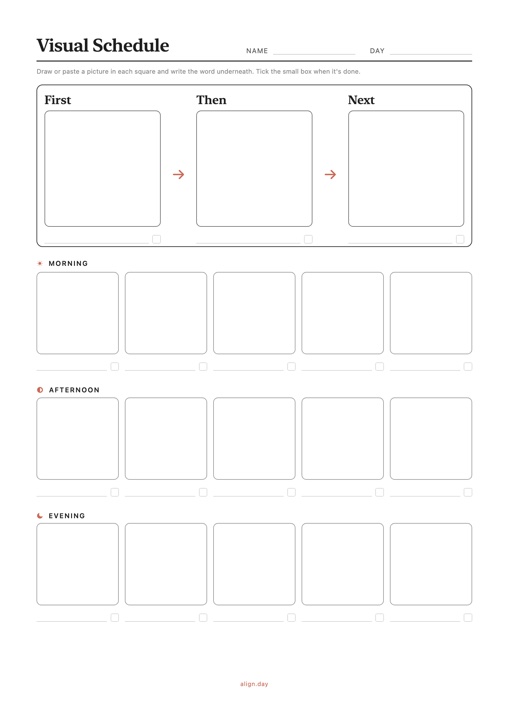
- Page 1: a First, Then, Next strip of three large picture squares with arrows between them
- Morning, afternoon and evening rows of five picture squares each, with a caption line and a small tick box under every square
- Page 2: 25 blank cut-out cards with dashed cut lines, each the same size as a square on page 1
- A Name and Day line at the top
- Two A4 pages that print on US Letter, in light, ink-friendly gray
What a visual schedule is
A visual schedule is a daily routine chart made of pictures: each step of the day is one square, in order, with a word under it. Parents and teachers use them so a child can see what happens now, what comes after it and what is left in the day, without reading a clock. The squares on this sheet are blank, so you can use the pictures and words a child already knows, from drawings and photos to symbols from a set you already use.
If you searched for an autism visual schedule, this sheet is a plain, blank format. If a teacher or therapist has suggested a particular way of building one, follow it and use the sheet as the paper.
Unlike the daily time blocking template, which plans a day by the clock in words, this sheet has no times at all: the day is a row of pictures read left to right.
How to make a visual schedule
- Make the cards. On page 2, draw or paste a picture on each card and write the word underneath, then cut along the dashed lines.
- Lay out the day. Put cards on the morning, afternoon and evening squares in the order they happen. You can also draw straight into the squares and skip the cards.
- Use First, Then, Next for the next three steps. Move the cards along as the day goes.
- Tick as you go. Tick the small box under each square when the step is done, or take the card off the sheet.
- Keep it where the routine happens, such as on the fridge, by the door or on a desk.
Example: a school day as a visual schedule
First, Then, Next: Get dressed → Breakfast → Brush teeth
| Part of the day | Picture squares, left to right |
|---|---|
| Morning | Wake up · Toilet · Get dressed · Breakfast · Shoes and bag |
| Afternoon | School pick-up · Snack · Play outside · Homework · Tidy toys |
| Evening | Dinner · Bath · Pajamas · Story · Bed |
The evening row doubles as a bedtime routine chart: five squares from dinner to bed, each ticked when it's done. After breakfast, the First, Then, Next strip moves on to Brush teeth → Shoes and bag → School.
If you plan your own day on your iPhone, Align gives each block a color and an icon on a visual timeline.

