Free visual planner for iPhone and iPad
Put tasks and calendar events on one timeline, see what fits, and adjust the plan without starting over.


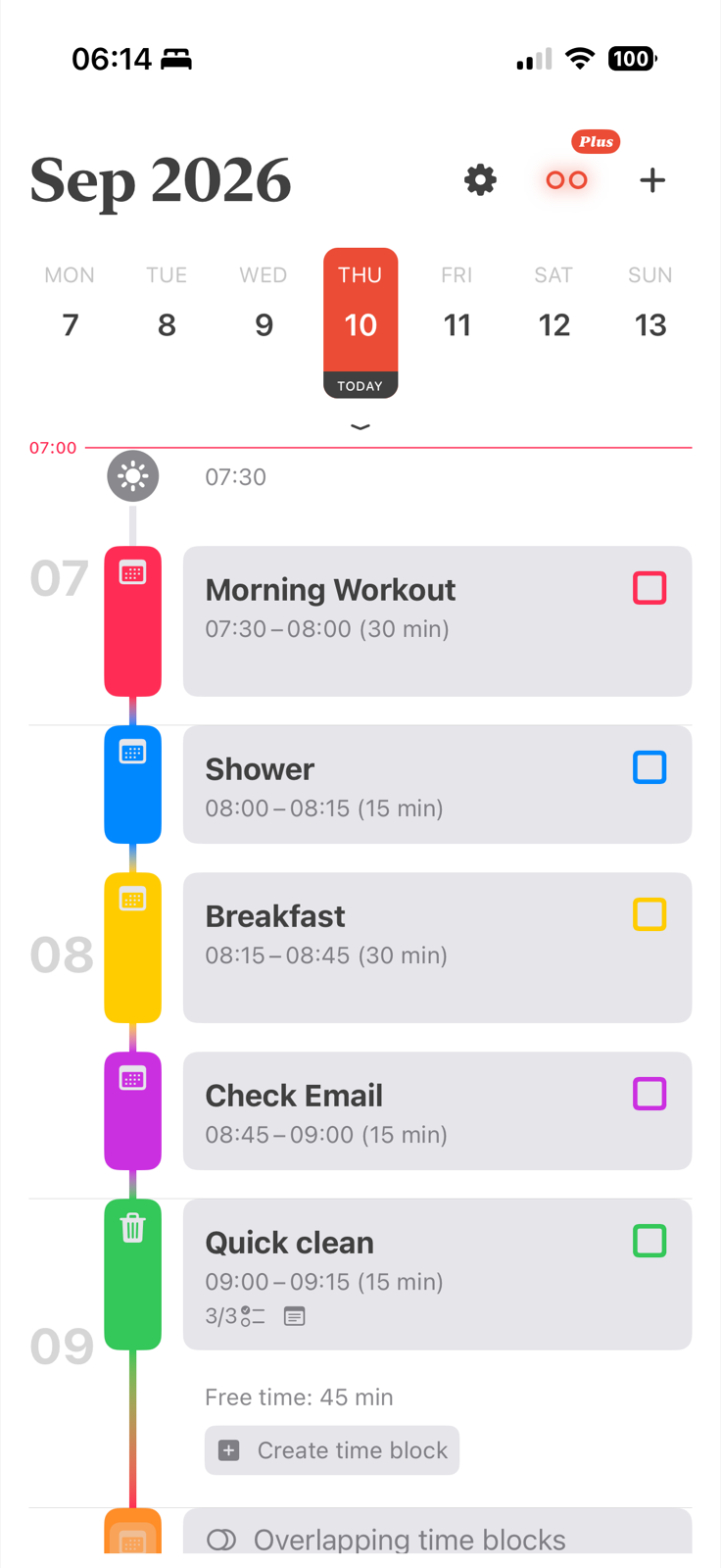
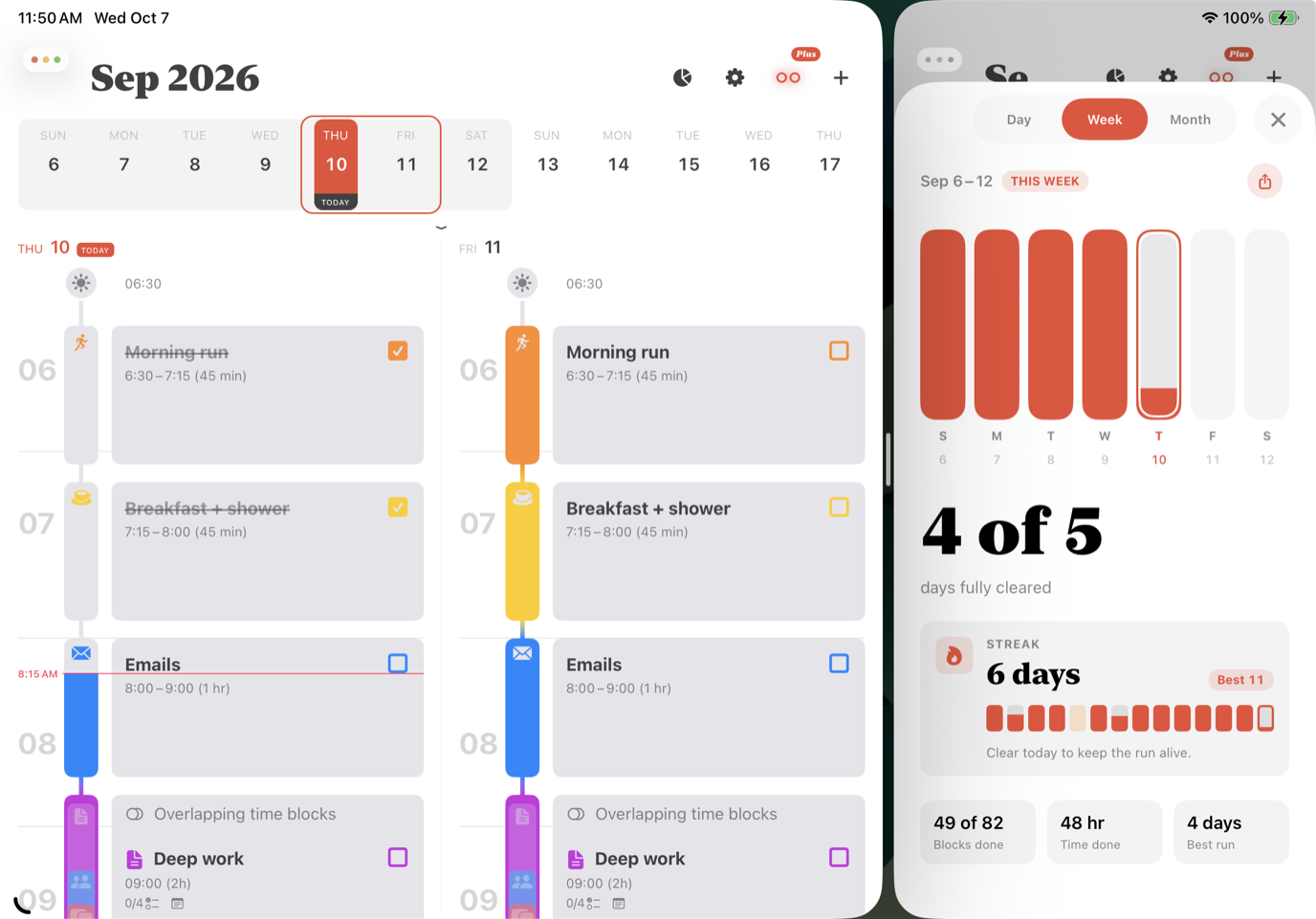
Align is a free time blocking app for iPhone and iPad built around one idea: your schedule should still be useful after the first interruption. It turns tasks and calendar events into a visual timeline, then lets you drag, resize, and reorganize the plan as the day changes.
Download Align free on the App Store →
A to-do list tells you what needs attention. A time blocking app shows when each task can happen, how long it will take, and what it competes with. Align places time blocks, free-time gaps, and events from your iPhone calendars on the same color-coded timeline.
Move or resize the block that changed instead of rebuilding the entire day. With Overlap Avoidance in Align Plus, later blocks can shift out of the way while keeping their original duration. You can see the proposed timing on the timeline before saving it.
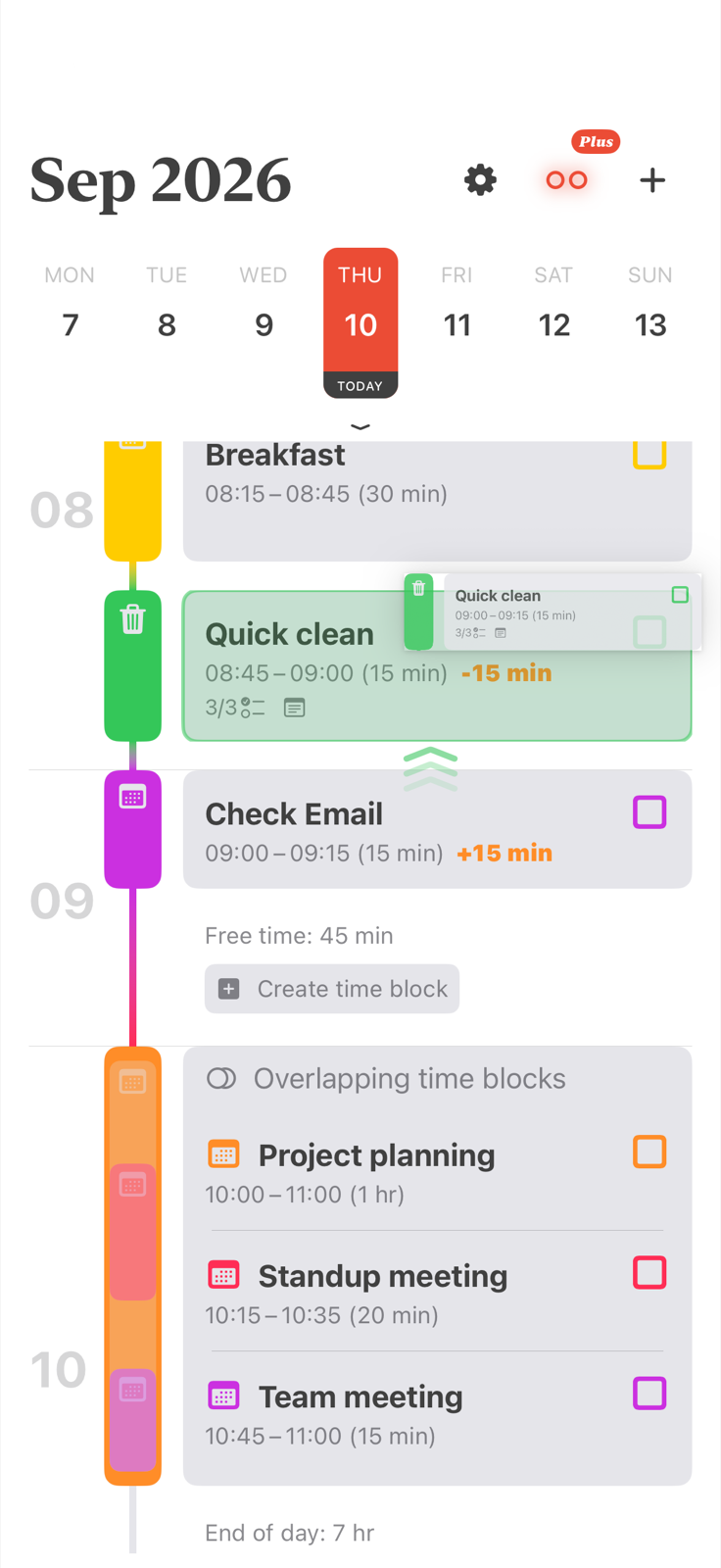
That flexibility is the difference between a schedule you abandon and one you can keep using.
| Tool | Best at | What it does not show on its own |
|---|---|---|
| To-do list | Capturing tasks and priorities | When each task fits into the day |
| Calendar app | Fixed events and appointments | A focused plan for the open hours |
| Align | Placing tasks and calendar events on one visual timeline | Team project management and shared workspaces |
Align is a good fit when you want a calendar planner for your own day, not another team task manager.
Visual blocks make time concrete. You can color-code types of work, see transition gaps, set reminders, repeat routines, and check off completed blocks. People who struggle with time estimation or task switching may find this clearer than an open-ended task list, without turning the product into a complicated all-in-one system.
Align is free to download and includes the core daily planning experience:
Align Plus adds advanced controls, including overlap avoidance, subtasks, time-block locking, and custom day start and end times. Prices are shown in the App Store before purchase.
For the planning method behind the app, read the time blocking planner guide. If you want to try the method on paper first, download a free time blocking template.
A time blocking app turns tasks into scheduled blocks with a start time, end time, and visible place in the day. Align shows those blocks beside calendar events on one iPhone timeline.
Yes. Align is free to download, with optional Align Plus tools available as in-app purchases.
Yes, through the iPhone calendar system. Add your Google account in iOS Settings, then choose that calendar inside Align.
Align is a visual planning tool rather than an ADHD treatment. People who prefer a concrete timeline may find time estimation and task switching easier when the day is shown in blocks.
Align is available on the App Store for iPhone and iPad.
Ready to make time visible?
Build the plan for free. Add Align Plus when you want more control.
