Time Blocking Planner
A time blocking planner turns priorities into a schedule by giving each task a start time, end time, and realistic place in the day. The goal is not a perfect minute-by-minute routine. It is a plan that shows what fits, protects focus time, and can change without sending you back to a blank page.
Try Align, the free visual planner for iPhone and iPad →
What is a time blocking planner?
A time blocking planner can be a printable sheet, spreadsheet, calendar, or app. Unlike an open to-do list, it connects every priority to the clock. That makes hidden overlaps obvious: a three-hour project cannot fit inside a one-hour gap, even if it looks manageable on a list.
The best format is the one you will review and adjust. Paper works well for a stable day. A visual app is useful when meetings move, tasks run long, or your energy changes.
Turn weekly priorities into daily blocks
Weekly planning decides what deserves time. Daily planning decides where that time goes. Start the week with a few priorities and recurring anchors, then build each day around the commitments already on your calendar.
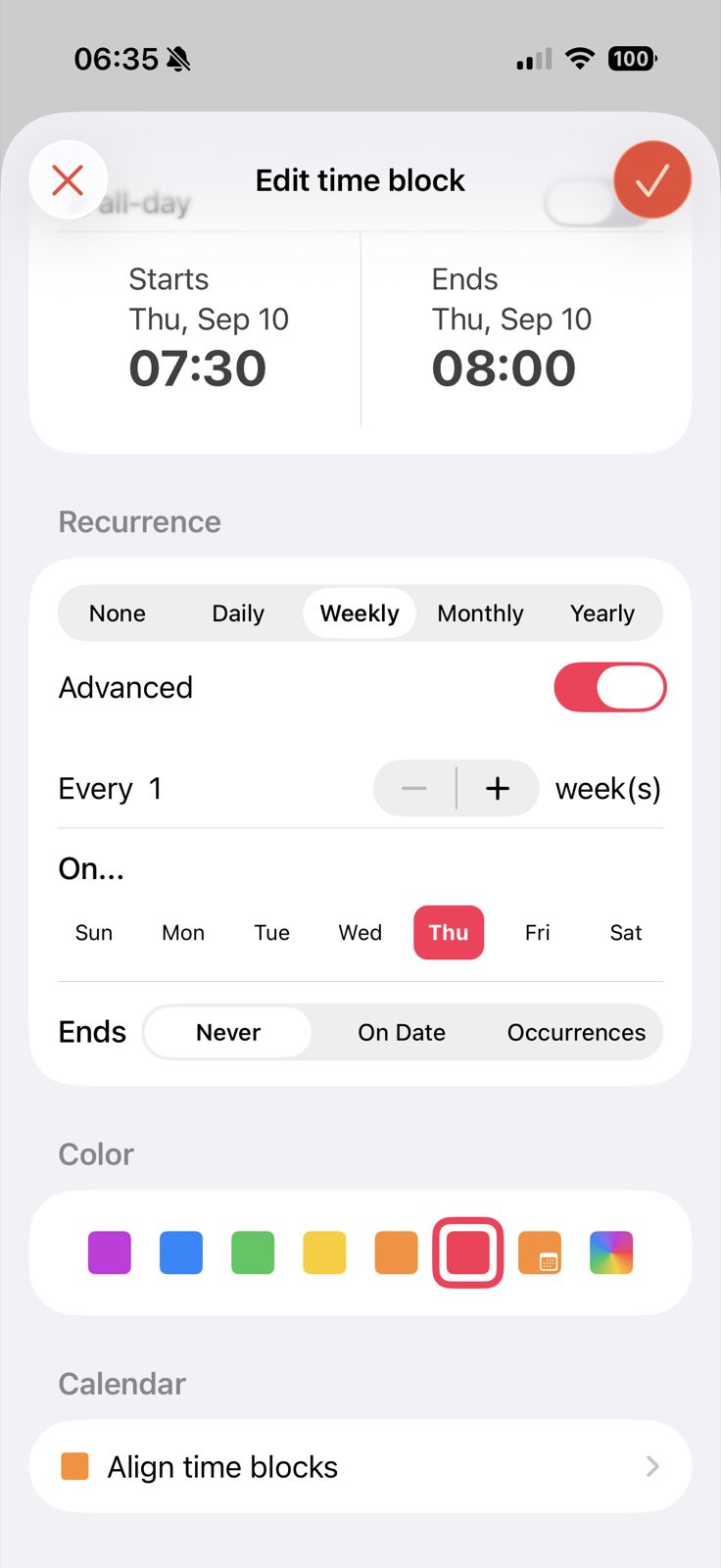
A daily planner that can change with the day
Rigid schedules fail because real tasks take longer than expected. A useful planner lets you change one block and understand the effect on everything after it.
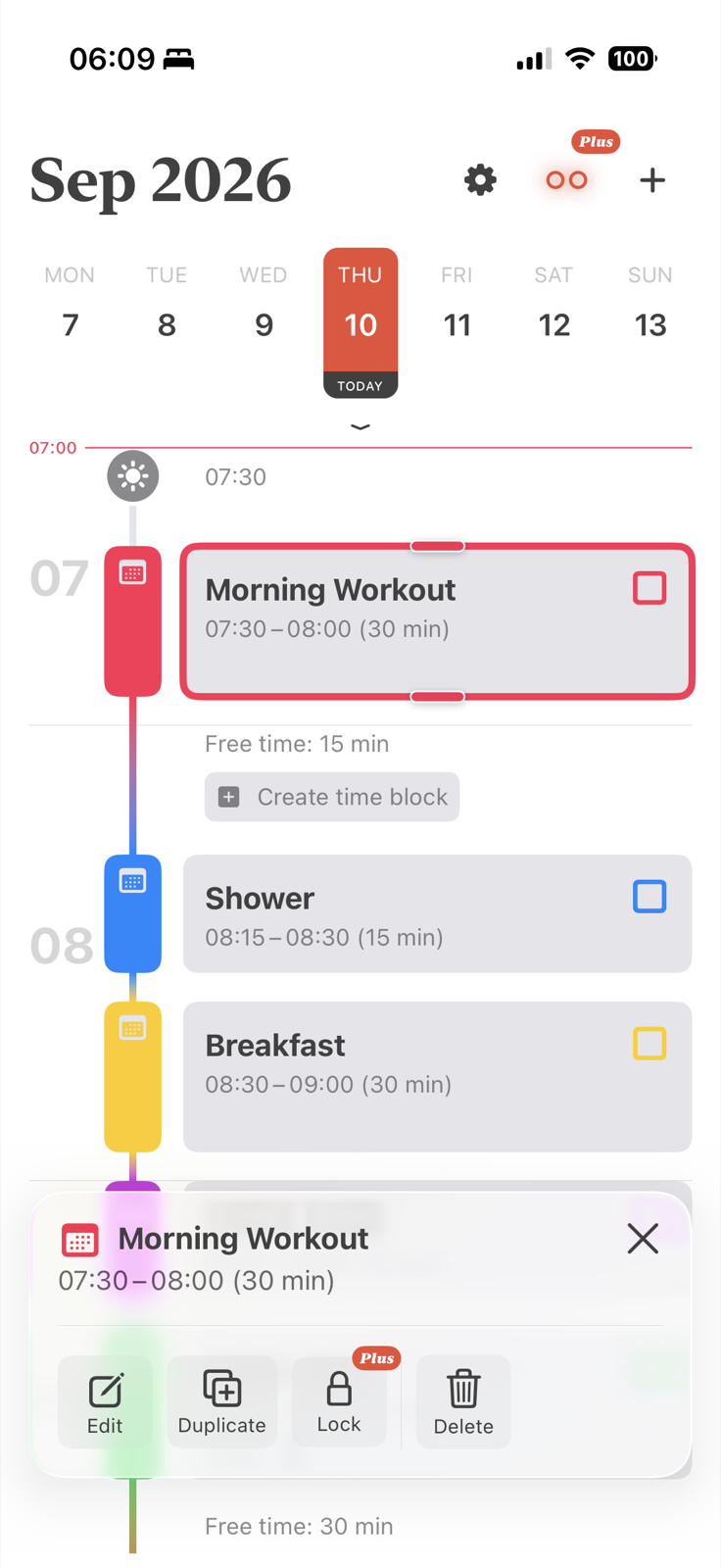
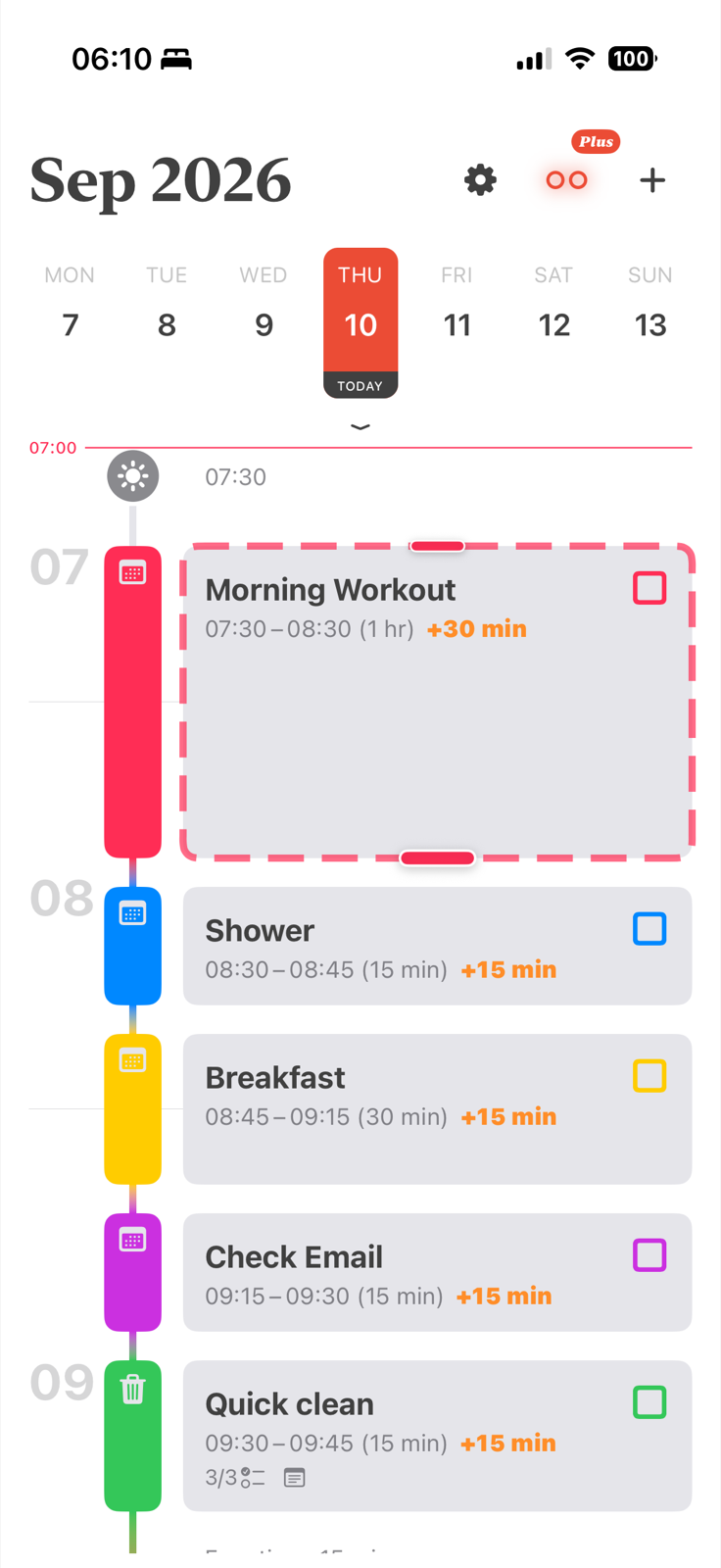
This is the central habit behind realistic time management: adjust the affected part of the schedule and keep the rest.
Time blocking planner vs calendar planner vs to-do list
| Planning format | What it helps you decide | Best for |
|---|---|---|
| To-do list | What needs doing | Capturing tasks and priorities |
| Calendar planner | When fixed events happen | Meetings, appointments, and shared commitments |
| Time blocking planner | When focused work will happen around those events | Building a realistic personal schedule |
You can combine all three. Align uses the iPhone calendar system for events and adds flexible time blocks for the work between them.
How to use a time blocking planner
- Mark fixed commitments. Add meetings, appointments, commute time, meals, and anything else that cannot move.
- Choose one to three priorities. Do not schedule the entire to-do list. Protect time for the work that matters most.
- Give each priority a realistic block. Estimate the duration, then place it where you have the right time and energy.
- Add transitions and breaks. A schedule with no breathing room is already late.
- Review and adjust. Move the blocks affected by a change and keep the rest of the plan.
Paper template or planner app?
Choose a free time blocking template if you want to learn the method, print a stable plan, or work in Excel or Google Sheets. Choose a time blocking app if you need calendar sync, recurring blocks, reminders, and faster schedule changes on iPhone.
Frequently asked questions
What is a time blocking planner?
It is a planner that assigns tasks to specific start and end times, making available time and overlaps visible.
Is time blocking only for work?
No. You can block exercise, meals, errands, rest, family time, study, creative work, or any activity that deserves a place in the day.
Can time blocking help with focus?
It can reduce the number of decisions you make during the day because the next task already has a place. It does not guarantee focus, but it makes priorities and boundaries easier to see.
Should I use paper or an app?
Use paper for a stable plan and an app when the schedule changes often. Many people start with a printable template and move to an app once rewriting becomes the frustrating part.
Ready to plan a day you can adjust?